
SEO for Developers · Business Tips
How to fix "Crawled - currently not indexed"
Google fetched the page and decided it wasn't worth indexing yet. That's feedback, not a bug — the fix is a decision per URL: make the page worth it, or stop asking. How I work the list, what to change on the page, and why resubmitting daily makes it worse.

What "Crawled - currently not indexed" means
"Crawled - currently not indexed" means Google fetched the page and chose not to add it to the index — not an error, a judgement. Google's own wording: "crawled by Google but not indexed… no need to resubmit this URL for crawling." The fix is one decision per URL: make the page worth indexing, or stop asking.
Many of the URLs in this row are pages you never meant to have indexed — tag archives, filtered product lists, author pages, an old copy of a page. Google is agreeing with you. The rest are pages you do want, and for those the row is telling you something specific about the page: the text isn't in the HTML, it duplicates another page, it's thin, or nothing links to it.
I'll show the process on a Search Console property with the domain blurred. It is the same sort my team runs on every audit, and it comes from hundreds of websites completed.
Not the same as "Discovered - currently not indexed"
The two rows sit next to each other and get mixed up, and the fixes are different. "Discovered" means Google found the URL — in a sitemap or a link — but hasn't fetched it yet. Google's wording: "The page was found by Google, but not crawled yet. Typically, Google wanted to crawl the URL but this was expected to overload the site; therefore Google rescheduled the crawl." In plain terms, Google is rationing its visits to the site — what SEO people call crawl budget — and the usual answers are fewer URLs to visit and a faster server.
"Crawled" means Google did fetch the page, read it, and passed. Nothing is broken on the server side; the page itself didn't earn a place. That's why the rest of this post is about the page, not the server. If your list is mostly "Discovered", read this post's main guide for the sitemap and crawl side instead.
How I work through the list
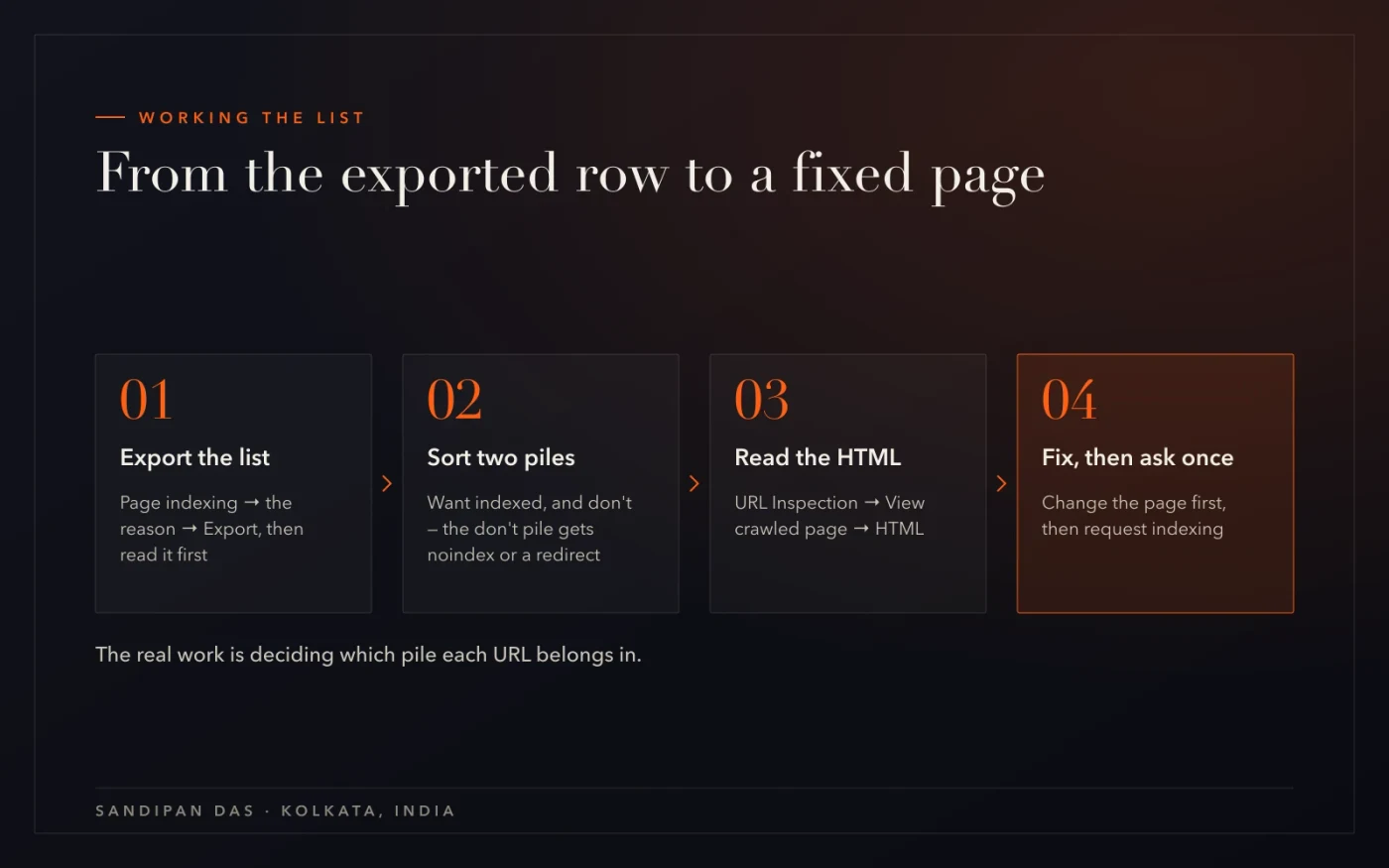
Six steps. The first sorts the list into two piles, and the piles get different treatment — most of the work is deciding which pile a URL belongs in.
- Open the row and export the URLs — Search Console → Page indexing → the "Why pages aren't indexed" table → "Crawled - currently not indexed" → Export. You get every affected URL with its last crawl date. Don't fix anything yet; read the list.
- Sort into "want indexed" and "don't" — Tag and category archives, filtered or sorted product lists (anything with ?colour= or /page/14/), author pages, staging leftovers, and pages that are a copy of another page go in the "don't" pile. Service pages, product pages, real posts go in "want". Often the "don't" pile is the bigger one.
- For the "don't" pile: stop asking — Add a noindex tag — a line in the page's head telling Google to leave it out of the index — or take the URL out of the sitemap and out of the menus, or redirect it to the page it duplicates. Google already declined these; making it official means they stop counting against the site. The robots & sitemap checker shows whether a URL is still in the sitemap.
- For the "want" pile: inspect one and read what Google fetched — URL Inspection → paste the URL → "View crawled page" → the HTML tab. If the text isn't there — a heading and an empty div, the words arriving with a script — Google indexed exactly what it saw, which was nothing. Then check the other three: is it a near-copy of another page, is it thin (a heading and two lines), does any indexed page link to it?
- Fix the page, not the setting — Text in the HTML; one topic per page with the answer first (What is AEO? has the pattern); enough substance that a stranger learns something; one real internal link from a page that is indexed; a sitemap entry with an honest last-modified date. The free SEO checker lists the first three for you.
- Request indexing once, then wait — URL Inspection → "Request indexing" — after the fix, not instead of it. Then watch the row's count in Page indexing weekly. Google gives no timeframe; the row moves as Google recrawls. Resubmitting daily doesn't speed it up — Google's own text says there's no need to resubmit — and the urge to is the thing to resist.
Reading what Google actually fetched
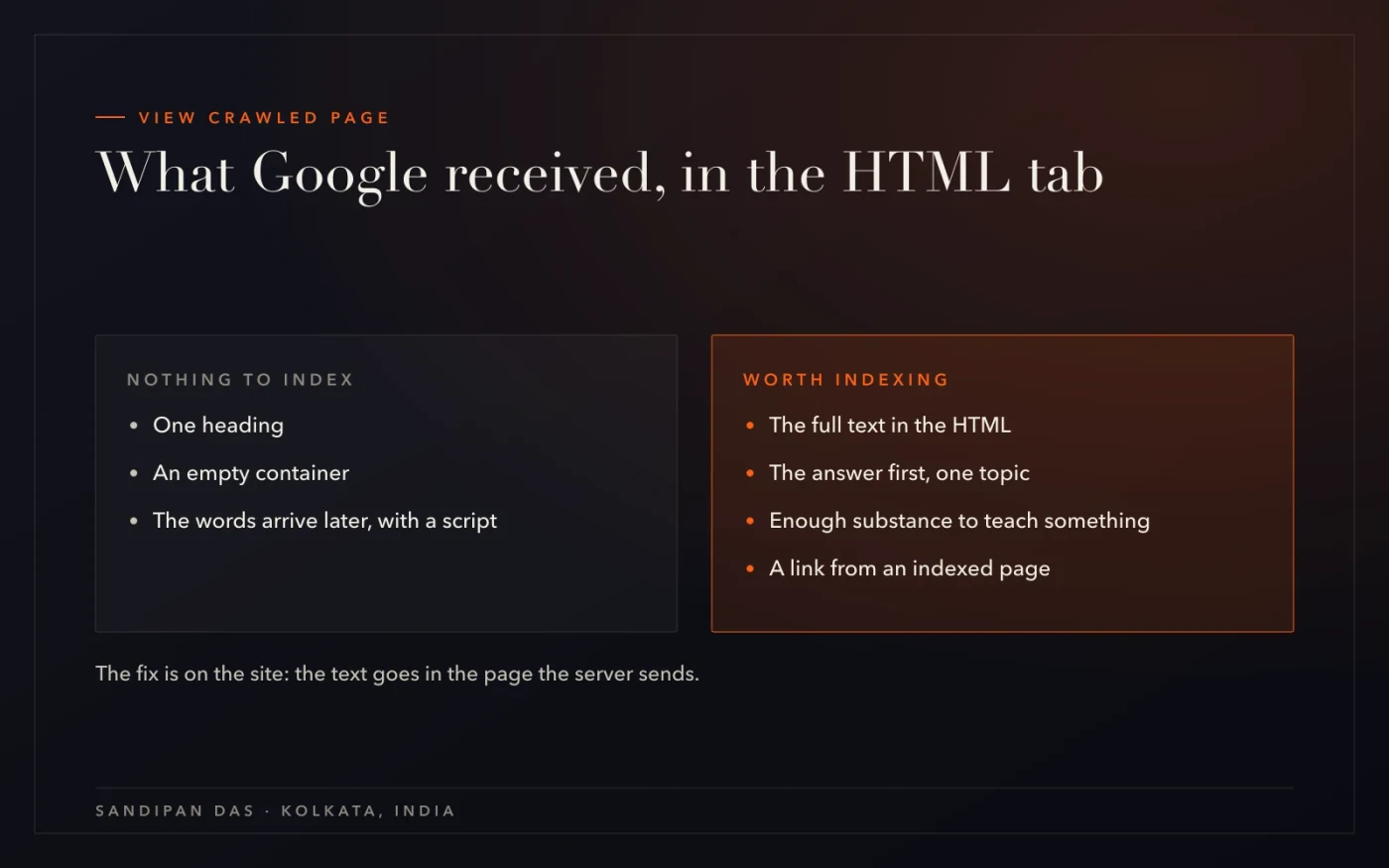
The step people skip is the one that explains most of the "want" pile: URL Inspection → View crawled page → HTML. It shows the page as Google received it, not as your browser shows it.
On a site that builds its pages in the browser, the HTML tab is a heading and an empty container — the words arrive later, with a script. Google crawled that. There was nothing to index, so it didn't. The fix is on the site: the text has to be in the page the server sends. A speed check shows the same thing from the other side, as a page that stays blank until the script runs.
On a site where the text is there, the tab usually shows the other problem instead: the page reads like three others on the same site, or it's two sentences long. Google isn't wrong about those either. The content analyzer is a quick way to see whether a page says anything the others don't.
The decision, per URL
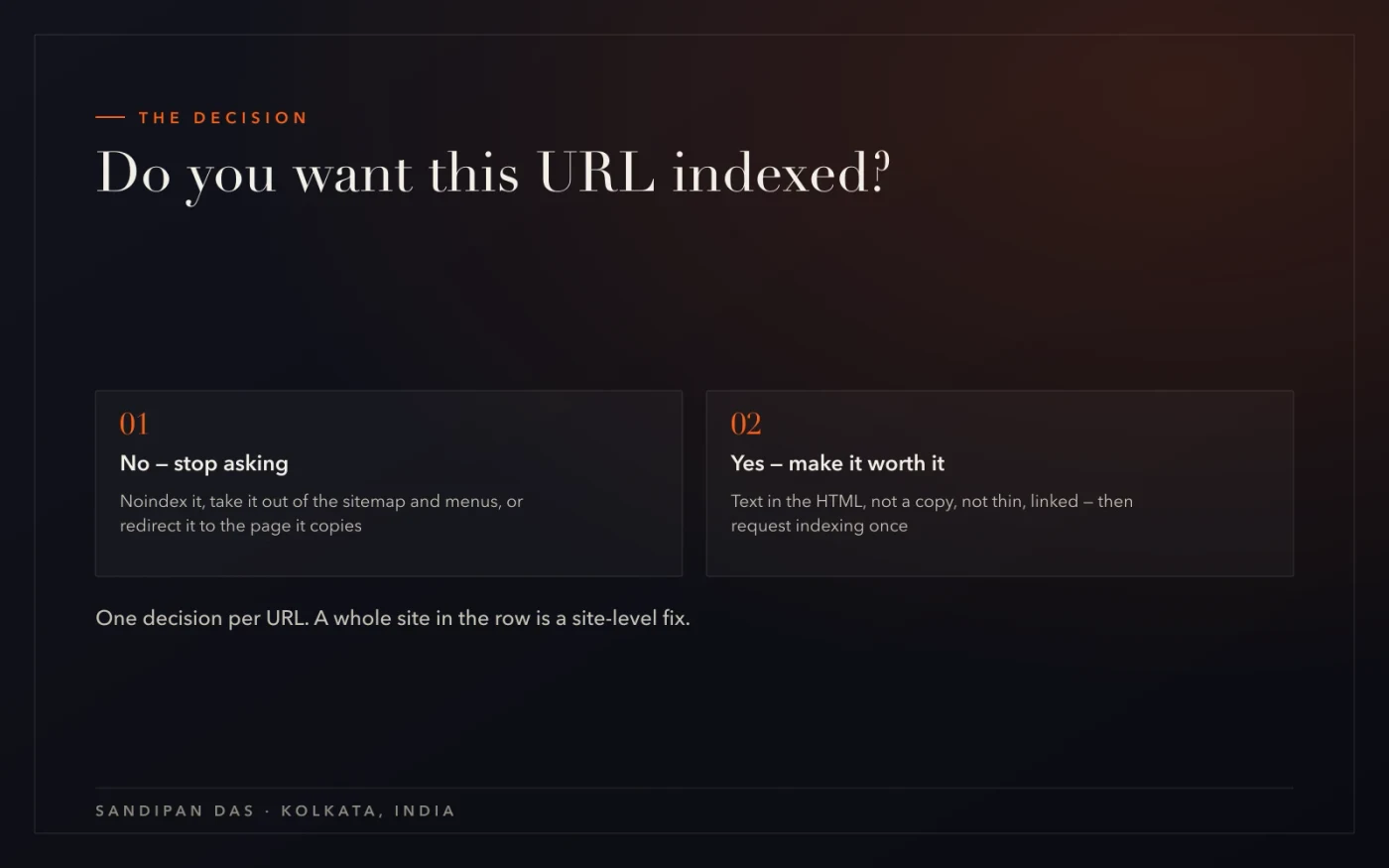
Not an error to clear. A judgement to answer — for every URL, one of two ways. If the whole site sits in this row — hundreds of pages you do want, all declined — the problem is a pattern, not a URL: a template that puts the text behind a script, or a site that publishes the same page under many names. That's a site-level fix, which is what a website audit is for.
What's easy to get wrong
Four mistakes, in the order they turn up in an audit.
- Resubmitting every day. Google's own line is "no need to resubmit this URL". Request indexing once, after a change, and give Google time to recrawl — it states no timeframe, and daily checks only wear you down.
- Treating it as an error. Nothing is broken — crawl allowed, fetch successful. It's a judgement about the page, and the page is what changes.
- Confusing it with "Discovered". Different row, different cause: that one is crawl scheduling, fixed with fewer URLs and a faster site.
- Trying to get everything indexed. Tag pages, filters and author archives belong out of the index. The fix for those is the noindex tag, and it makes the rest of the site look better to Google.
Google saw the page and passed. Make it worth a second look, or stop asking — then wait.
Read next
The full Search Console audit, the page pattern that gets indexed and cited, and the services this belongs to.
- What is AEO? — the answer-first page
- Website audit — every issue, and exactly how to fix it
- Technical SEO services
- Free robots & sitemap checker
- Free SEO checker
If you'd rather have someone do this
Export the row and run the free SEO checker on the three pages you most want indexed — you'll see which of the four page problems each one has. If the list is long, or the whole site is in it, that's what the website audit is for: every URL sorted, the page fixes named, and the count watched until it moves.
Questions
Questions this post answers
How do you check indexing issues in Google Search Console?
- Open Page indexing: the top shows how many pages are indexed and how many aren't, and the "Why pages aren't indexed" table lists each reason with a count. Click a reason to see its URLs and export them. URL Inspection then answers the same question for one page at a time, including what Google actually fetched.
How do you find pages not indexed by Google?
- Search Console → Page indexing → the not-indexed count, then the reasons table below it; every row opens into a URL list you can export. For a single page, paste it into URL Inspection and read the verdict — "URL is not on Google" with the reason underneath.
How do you use Google Search Console for an SEO audit?
- In five reports, in order: Page indexing (what Google has listed and why not), Performance with the date compare on (which pages and queries moved), Core Web Vitals (real visitors' speed), Sitemaps (what you asked for versus what happened) and URL Inspection for the pages that matter. The full walk-through is the guide this post belongs to.
How long after fixing a page does "Crawled - currently not indexed" clear?
- Google gives no timeframe for "Crawled - currently not indexed" to clear. The row updates as Google recrawls, and requesting indexing once after the fix is the most you can do to hurry it. Watch the count in Page indexing rather than the single URL every day; if the count stays put, check the page again for the four problems — text in the HTML, a near-copy, thin content, no internal link.