
website backup and restore service
Website backup and restore service: off-site copies, tested restores
- Files and database copied together
- Copies kept away from the server, in storage you control
- A fresh copy before every weekly update
- One restore onto a spare copy, to prove the file opens
- The site brought back from a copy after a bad update or a mistake
- Backups covered in the monthly report
Overview
What a website backup and restore service sets up
A website backup and restore service keeps a recent, complete copy of your site away from its server, and uses that copy to bring the site back. My team copies both the files and the database. The copies are stored somewhere other than the server the site runs on. Then one of them is restored onto a spare copy of the site, to prove it opens.
When something goes wrong later, that tested copy is how the site comes back.
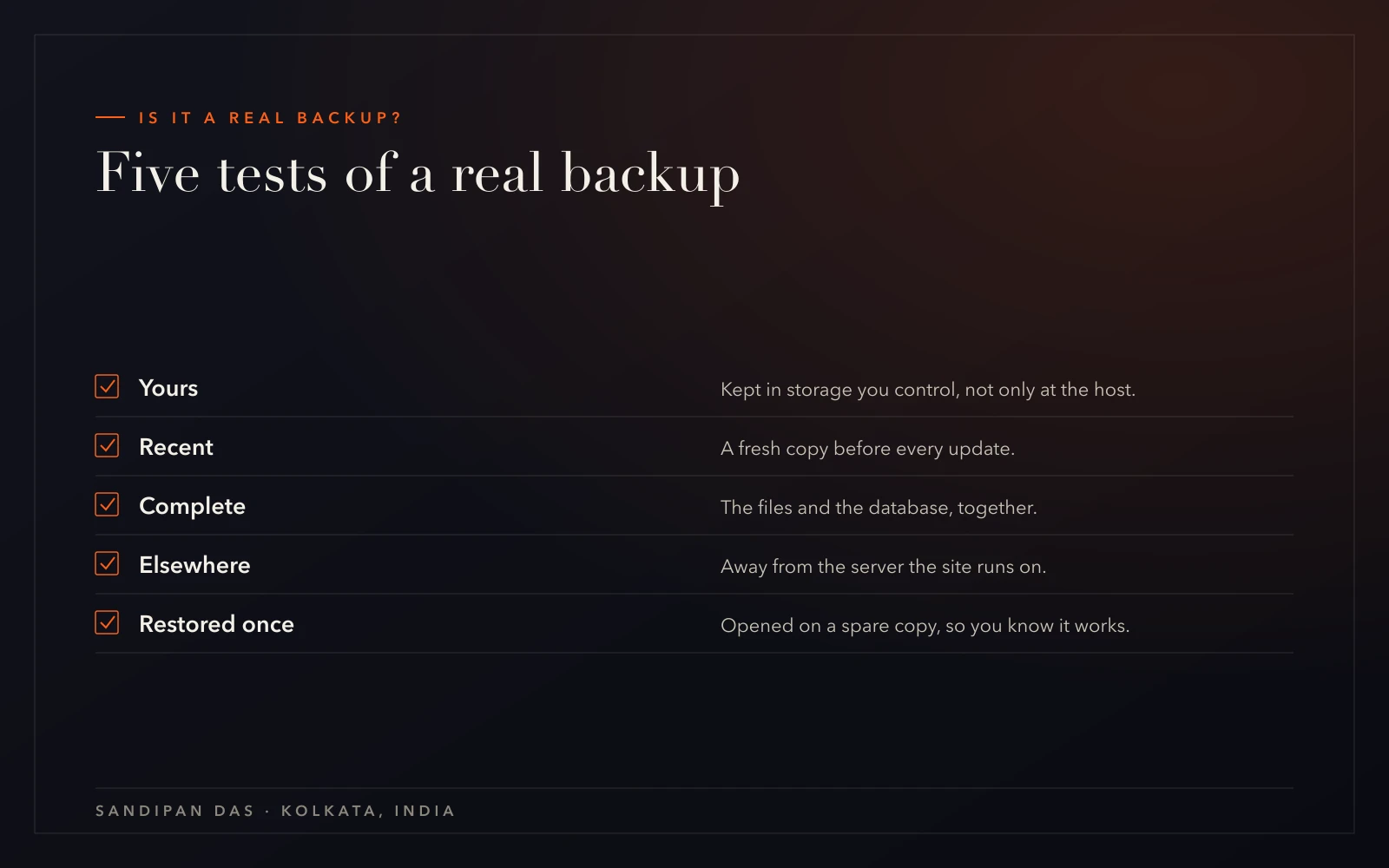
The whole setup is built around five tests. If a backup fails any one of them, it may not bring the site back.
- Yours: kept in storage you control, not only at the host
- Recent: a fresh copy before every weekly update
- Complete: the files and the database, together
- Elsewhere: on storage separate from the site's own server
- Restored once: opened on a spare copy, so you know it works
What a scope from me looks like
A sample backup scope for one site
Included
- Files and database copied together
- Copies kept away from the server, in storage you control
- A fresh copy before every weekly update
- One restore onto a spare copy, to prove the file opens
- The site brought back from a copy after a bad update or a mistake
- Backups covered in the monthly report
Phase two
- A partial rebuild of a site that had no backup
- A hand clean-up of a hacked site with no clean copy
- Building new pages or features
Not doing
- A blind restore on a shop that has taken orders since the copy
- Sites on Wix or Squarespace, which keep their files closed
Each line in the scope is something you can check for yourself. Work outside it is quoted first, before anyone touches the site.
Process
From an untested backup to a restore that worked
The first job is finding out what you already have. A site can arrive with copies that have never been opened, or with none at all.
- 01
Asking about today's backups
You tell me where the site is hosted, what backs it up now and when anyone last restored a copy.- You
- Share the host, the platform and any backup tool already running.
- Get
- A first view of which of the five tests your backups pass
- 02
Checking the five tests
I look at where the current copies live, how old they are and whether the database is in them. The write-up says what passes and what doesn't.- You
- Hand over the admin and hosting logins.
- Get
- A result for each test, and a scope to sign
- 03
Setting up the off-site copies
Files and database are copied to storage away from the host. From here on, a fresh copy is taken before every update.- You
- Give admin access to the site and the host, so the first copies can be taken.
- Get
- Complete copies kept away from the server
- 04
The first restore
One copy is restored onto a spare copy of the site. Nothing on the live site changes while this happens.- You
- Click through the spare copy the way a customer would.
- Get
- Proof that the backup opens
- 05
Copies become routine
A copy arrives before each weekly update, and the monthly report covers the backups next to the updates.- You
- Read the first report and ask about anything unclear.
- Get
- A backed-up site and the first report
- 06ongoing
The day you need it
When something goes wrong, the right copy is picked first. On a shop, the restore is planned around the orders taken since that copy.- You
- Tell us what changed and when you first noticed it.
- Get
- The site back from a copy, recorded in the report
- Asking about today's backups
- Checking the five tests
- Setting up the off-site copiesboth
- The first restore
- Copies become routine
- The day you need it
Why it matters
Why the copy lives away from your server
A backup kept on the same server goes down with that server. A failed server or a break-in takes that copy with it, along with the site.
My approach is to treat a backup as unproven until it has been restored once. The day you need it is the worst day to learn the file won't open. So the first restore happens on a spare copy, on an ordinary working day.
What takes longer than people expect is a restore on a busy shop. An older copy doesn't hold the orders placed after it was taken. The restore has to be planned around them, and that planning is part of the job.
One question worth asking today
Ask when your backup was last restored. If the answer is never, that's the first job.
What you get
Website recovery services for four kinds of bad day
A backup is the undo button for a few very different problems. Keep two copies if you can. Your own off-site copy comes first, and the host's backup is the spare.
For most sites, backups belong inside a website care plan, where a copy is taken before every weekly update and someone watches the site between them.
- A broken update: the copy from just before it goes back, a restore instead of a rebuild
- A break-in: the last clean copy restored, then the way in closed through malware removal
- A mistake: a deleted page or a changed setting, undone from the copy
- A host account that lapses: the copy kept away from the host is still the whole site
Client feedback
What returning clients wrote
- ★★★★★
“This is the second website he has created for us. He is professional and communicative and delivers beautiful work quickly.”
- ★★★★★
“Very professional Team and well prepared. I will definitly hire him and the team again.”
- ★★★★★
“Sandipan was fantastic to work with. He was professional, responsive, and skilled. I will recommend him and most likely use his services again.”
Pricing
Paying for a website backup service
The scope lists what gets backed up and restored, and the cost follows those lines. The scope builder shows which answers shape a backup scope, with no amounts on it.
Bringing back a site that has no backup is different work. It's a repair, priced as one.
Weighing it up
Care, maintenance, management or support. Which one fits?
Next step
Ask when your site was last restored
Book a call and tell me where your backups live today. If nobody knows, that's the first thing we find out.
How often should my website be backed up?
- A website should be backed up as often as it changes, and always just before an update. A shop taking orders changes far more often than a brochure site, so it needs copies more often. On a care plan with my team, a fresh backup is taken before every weekly update.
Does my host's backup count?
- A host's backup counts as a second copy, not the first. The host keeps it on its own systems and on its own schedule, so it may not hold the version you need. Your first copy should sit in storage you control, away from the server, and should have been restored once.
What does a website backup include: files, database or both?
- A website backup has to include both halves. The files hold the theme, the plugins and the uploads. The database holds the pages, the settings and, on a shop, the orders. A copy with only one half restores nothing usable.
How does WordPress backup and restore work on a WooCommerce store?
- WordPress backup and restore on a WooCommerce store needs planning, because an older copy doesn't hold the orders placed since it was taken. The right copy is picked first, and the restore is planned around the recent orders. A store broken by a bad update goes back to the copy taken just before that update.
Do you test restores?
- Restores are tested, yes. One copy is restored onto a spare copy of your site, away from the live one, to prove the file opens and the pages work.
Published · Updated