SEO for Developers
How to check if a page is indexed by Google (3 ways)
Before you try to fix a page that won't show up in Google, find out if Google has it at all.

How do you check if a page is indexed by Google?
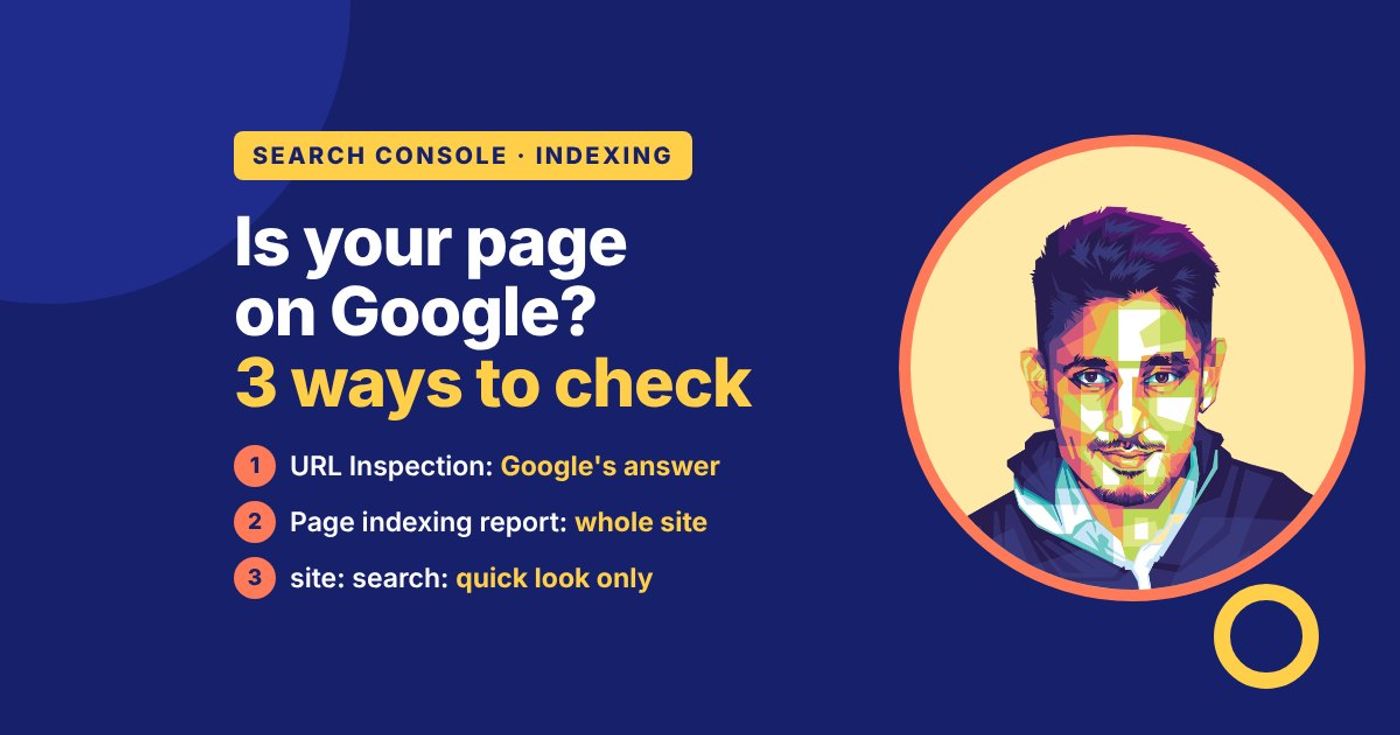
Paste the page's full address into URL Inspection in Google Search Console. It will say "URL is on Google" or "URL is not on Google", with the reason. To check many pages at once, use the Page indexing report. A site: search in Google is a quick look, but it isn't proof. Trust them in that order.
"Indexed" means Google has the page in its list and could show it for a search. It is not the same as ranking — an indexed page can sit on page nine — and it isn't the same as crawled: Google fetches plenty of pages it decides not to list. The checks below tell you which of those states a page is in, and the verdict tells you what to do next.
Run this check first. A "my page isn't ranking" problem often turns out to be a "my page isn't indexed" problem, and the two need different fixes.
URL Inspection: Google's own verdict for one URL
Search Console → URL Inspection → paste the full URL, including the https:// part. Google answers for that exact address — which is why the address has to be exact.
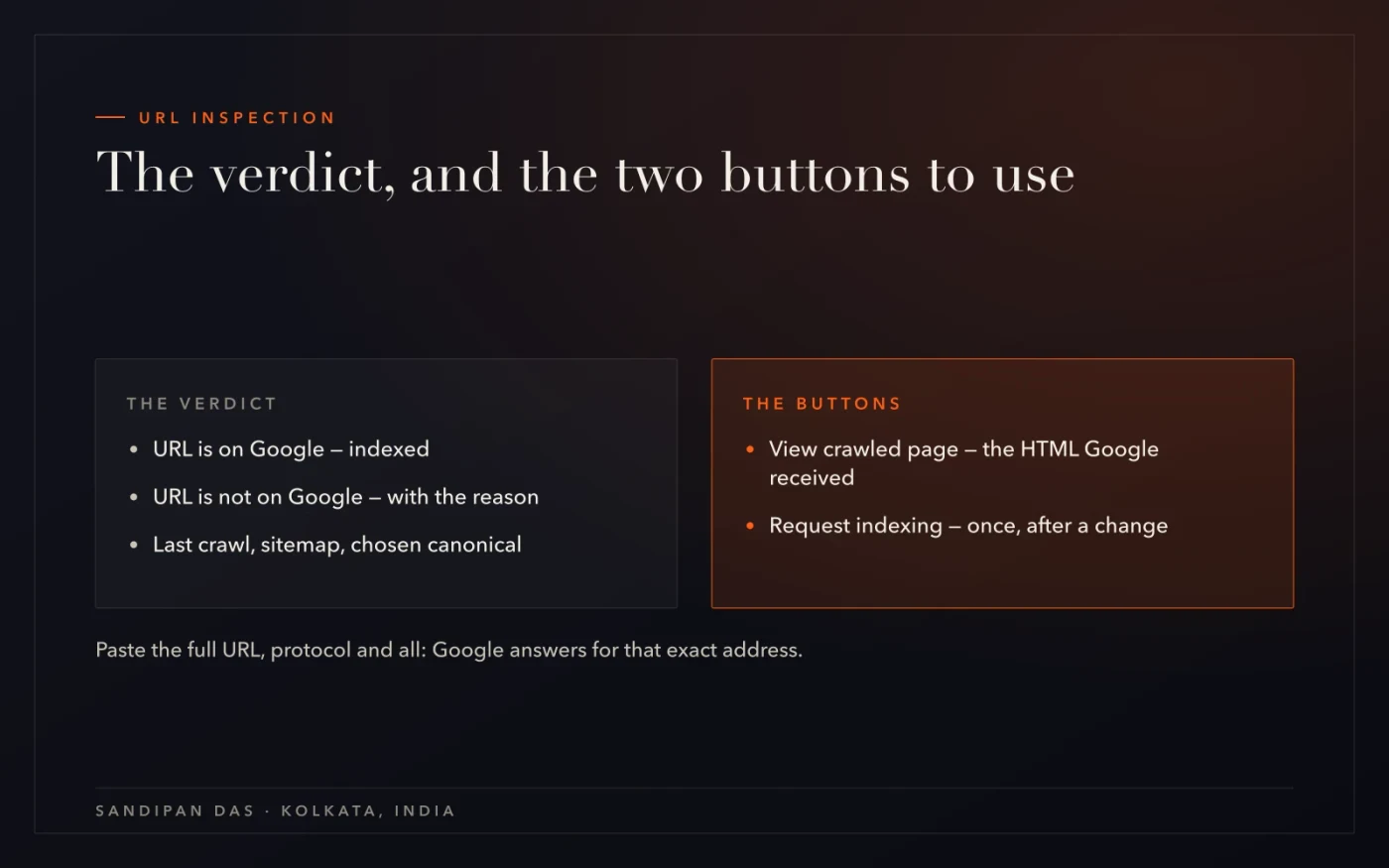
The verdict usually starts with one of two lines. "URL is on Google" means it's indexed; the details underneath show the sitemap (the file that lists your pages for Google) it was found in, when it was last crawled, which canonical Google chose, and whether the page it fetched matches the one you see. "URL is not on Google" comes with the reason — and the reason is the useful part, because it's the same list of reasons the Page indexing report uses: a noindex tag (a tag that tells Google not to list the page), blocked by robots.txt (the file that tells crawlers what they may fetch), a canonical pointing elsewhere (the page names another address as its main version), "Crawled - currently not indexed", "Discovered - currently not indexed", or a 404 (page not found).
Two more points from Google's URL Inspection help. "URL is on Google" means the page can show in search results, but it isn't guaranteed to appear for any one search. And the "Test live URL" button checks the page as it is right now, for problems that could stop it being indexed. It doesn't tell you whether the page is already in the index; the main result above it does.
Two buttons matter:
View crawled page — the HTML (the page's code) Google actually received. If the text isn't in it, that's the whole problem.
Request indexing — asks Google to look again. Once, after you've changed something; never as the first move. Google's recrawl guide says asking again and again for the same URL won't get it crawled any faster.
The Page indexing report: the whole site at once
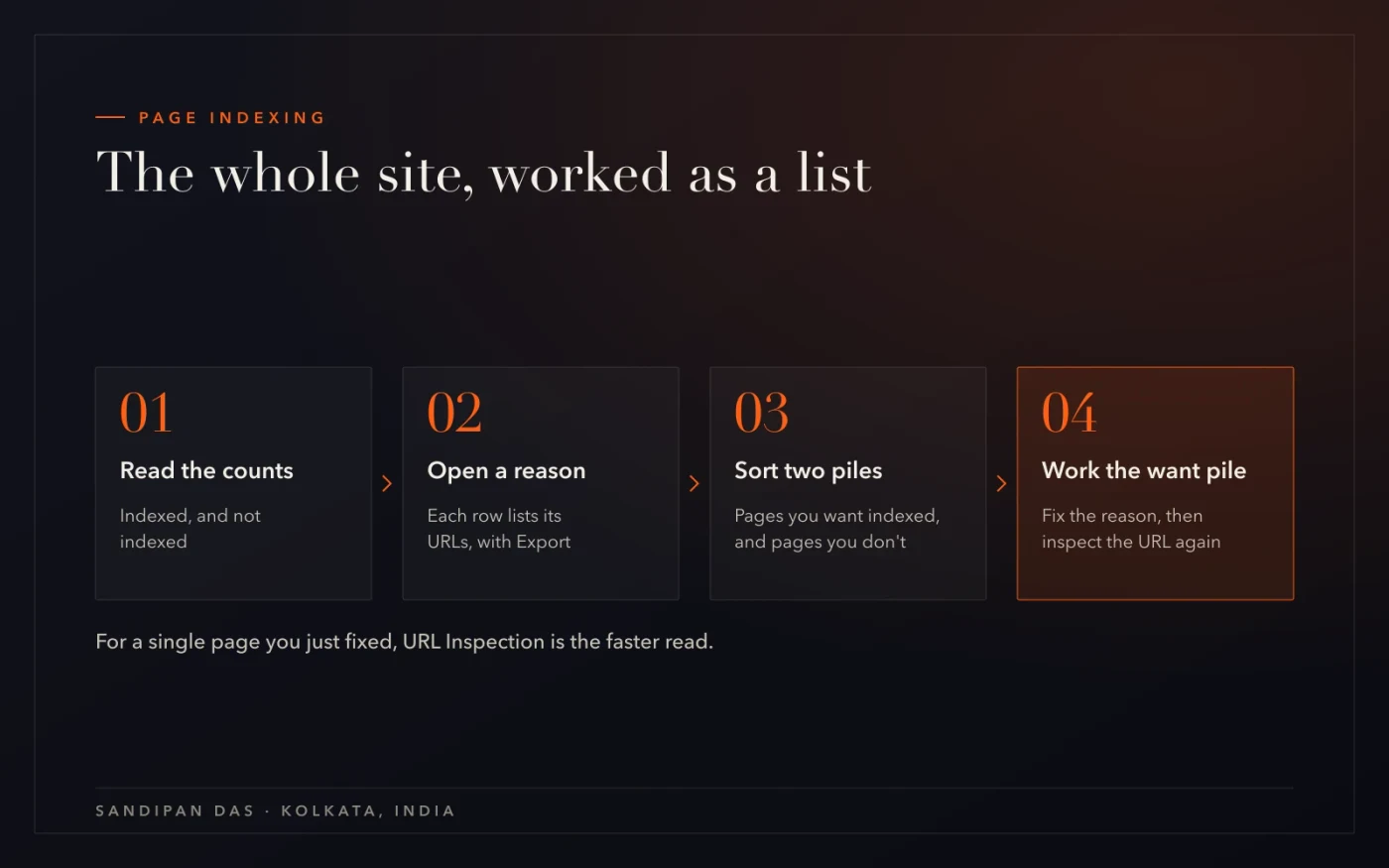
For more than a handful of pages, Search Console → Page indexing answers the question in bulk: how many pages are indexed, how many aren't, and a table of reasons with a count each.
Click a reason row and you get its URLs, with an Export button. That export is the list to work through — sorted first into pages you want indexed and pages you don't, because the not-indexed count is often mostly tag archives (pages that list posts by tag), filtered lists and old copies that Google was right to skip. The pages you do want are the work, and the biggest bucket of those is usually "Crawled - currently not indexed", which has its own post.
The report lags: a change on the site shows up here as Google recrawls. For a single page you just fixed, URL Inspection is the faster read.
The site: search — quick, and not proof
Type site:yourdomain.com/the-page into Google. If the page appears, it's indexed. If it doesn't, you don't know yet.
A site: search is a look at Google's results, not at its index. Google's own guide to the site: operator says it "doesn't necessarily return all the URLs" that are indexed. An indexed page can fail to show because Google treats it as a copy of another page (its canonical), because the query matched a different URL, or simply because the search results are a filtered view. I use it for a quick check on a page I expect to be indexed. To tell a client whether a page is indexed, I use URL Inspection.
Three things trip people up here: the trailing slash (yourdomain.com/page and yourdomain.com/page/ are different URLs to Google), http against https, and www against non-www. Check the address Search Console shows as the canonical, not the one you typed from memory.
What the verdict means — and what to do
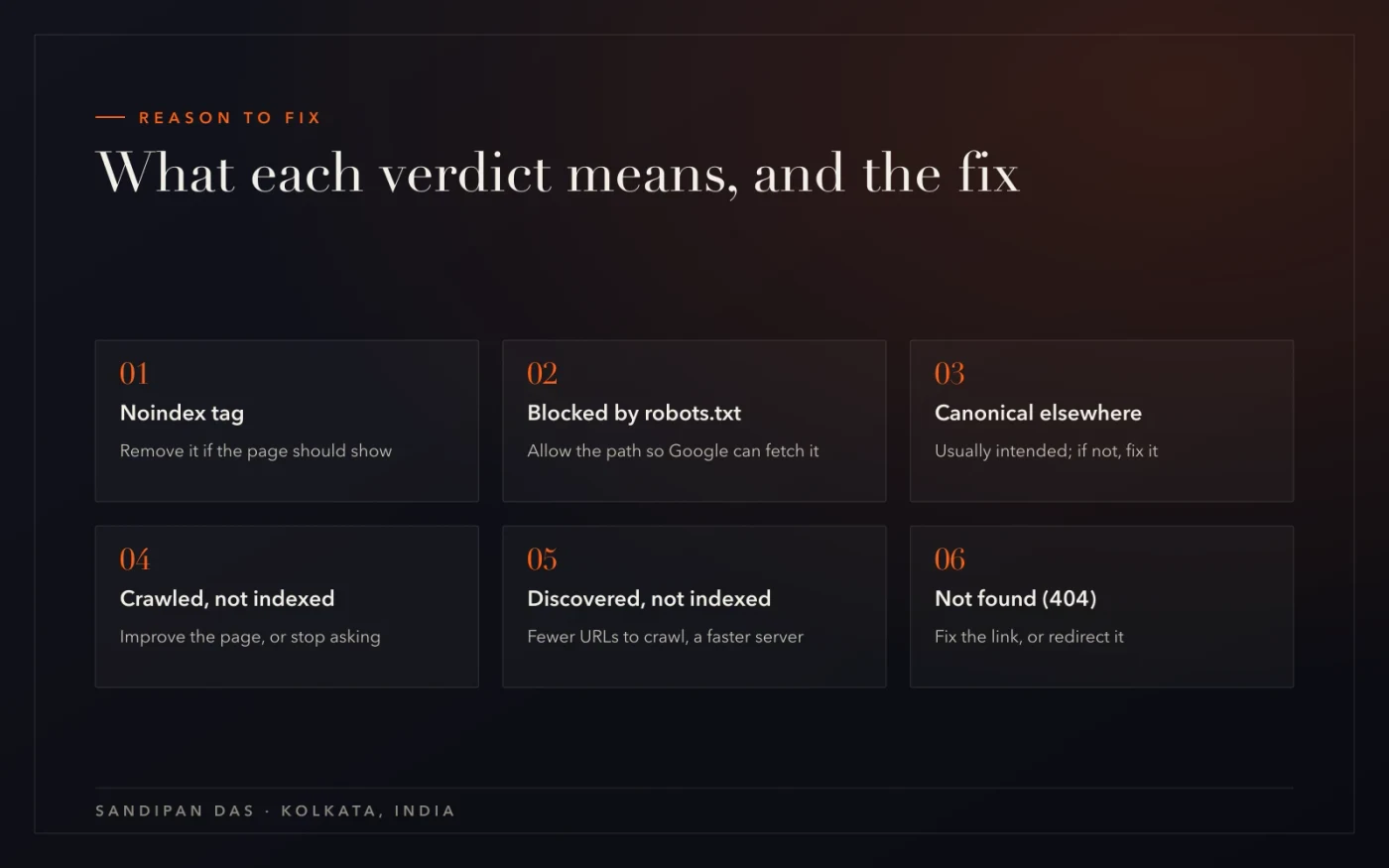
The reason line tells you what's wrong. Each one has a different fix, and only one of them is "request indexing".
"Excluded by noindex tag." A tag on the page tells Google to stay out. If you meant the page to show, remove the tag — it's often left over from staging (a test copy of the site) or a plugin setting. The free SEO checker shows whether a page carries one.
"Blocked by robots.txt." Google may not fetch the page. Allow the path, and note that robots.txt doesn't hide a page from Google; it only stops the crawl. Google's robots.txt guide says so plainly.
"Alternate page with proper canonical tag" / "Duplicate…" Google is indexing a different URL as the original. Usually intended; if not, fix the canonical — how the canonical rows work.
"Crawled - currently not indexed." Google read the page and passed. Make it worth a second look, or stop asking — the step-by-step post.
"Discovered - currently not indexed." Found, not fetched yet — a scheduling issue: fewer URLs to crawl, a faster server, then wait.
"Not found (404)". The URL doesn't exist any more. Fix the link that points to it, or redirect it (send visitors automatically) to the closest live page.
What's easy to get wrong
Four mistakes, in the order they come up.
Trusting the site: search as proof. It's a view of results, not the index. "Not showing" and "not indexed" are different facts.
Requesting indexing before fixing anything. The button asks Google to look again; if nothing changed, it sees the same page and gives the same verdict.
Checking the wrong address. Slash, http or https, www — Google indexes exact URLs. Inspect the canonical Search Console reports, not the one in your notes.
Reading "indexed" as "ranking". Indexed means it can show up. Where it sits is the Performance report's job — the Search Console audit guide covers that.
Inspect the URL, read the reason, fix the reason — then request indexing once.
Read next
The reasons in depth, the full Search Console audit, and the services this belongs to.
If you'd rather have someone do this
Inspect the page that earns you the most first — it's often where the surprise is. If the not-indexed count is in the hundreds, that's what technical SEO services are for: every reason row sorted, the fixes made in the code, and the report watched until it moves.
Questions
Questions this post answers
How to check if Google can crawl your website?
- URL Inspection shows, for each page, whether Google is allowed to crawl (fetch) it and when it last did. The Page indexing report lists pages Google couldn't fetch, under reasons like "Blocked by robots.txt" and "Server error (5xx)", which means your server failed to answer. For the whole site, open robots.txt (the file that tells crawlers what they may fetch) in a browser, or run the free robots & sitemap checker.
Crawlability vs indexability — what's the difference?
- Crawlable means Google is allowed to fetch the page and can reach it. Indexable means Google is allowed to list it, and then chooses to. A page can be crawled but not indexed: a noindex tag (which tells Google not to list it), a canonical pointing elsewhere, or Google simply passing on it. And a page blocked from crawling can still be listed, just without a description. Fix crawling first.
How long does it take for Google to index a new page?
- Google doesn't promise a time. Its recrawl guide says crawling can take anywhere from a few days to a few weeks, and a crawl doesn't guarantee the page gets indexed. A page that's in your sitemap and linked from a page Google already has is easier to find. Request indexing once after publishing, then check URL Inspection instead of searching for the page.
Does a site: search show every indexed page?
- No. Google's own guide says the site: operator doesn't necessarily return all the URLs that are indexed. It shows the results Google chooses to display for that search, which can leave out pages Google treats as copies of another page. Use it as a rough look, never as a check. The Page indexing report gives the real count.